Adding a payment method for WhatsApp messages
5 minLast updated: 29 October 2026
Needed only for messages you start (templates). Replies to customers who write first are free.
Before you start
- A Visa or Mastercard that allows online payments
Step by step
1Open WhatsApp Manager settings
Go to business.facebook.com/wa/manage, pick your WhatsApp account, then open the settings (gear) and Payment methods, or Billing and payments.
2Add your card
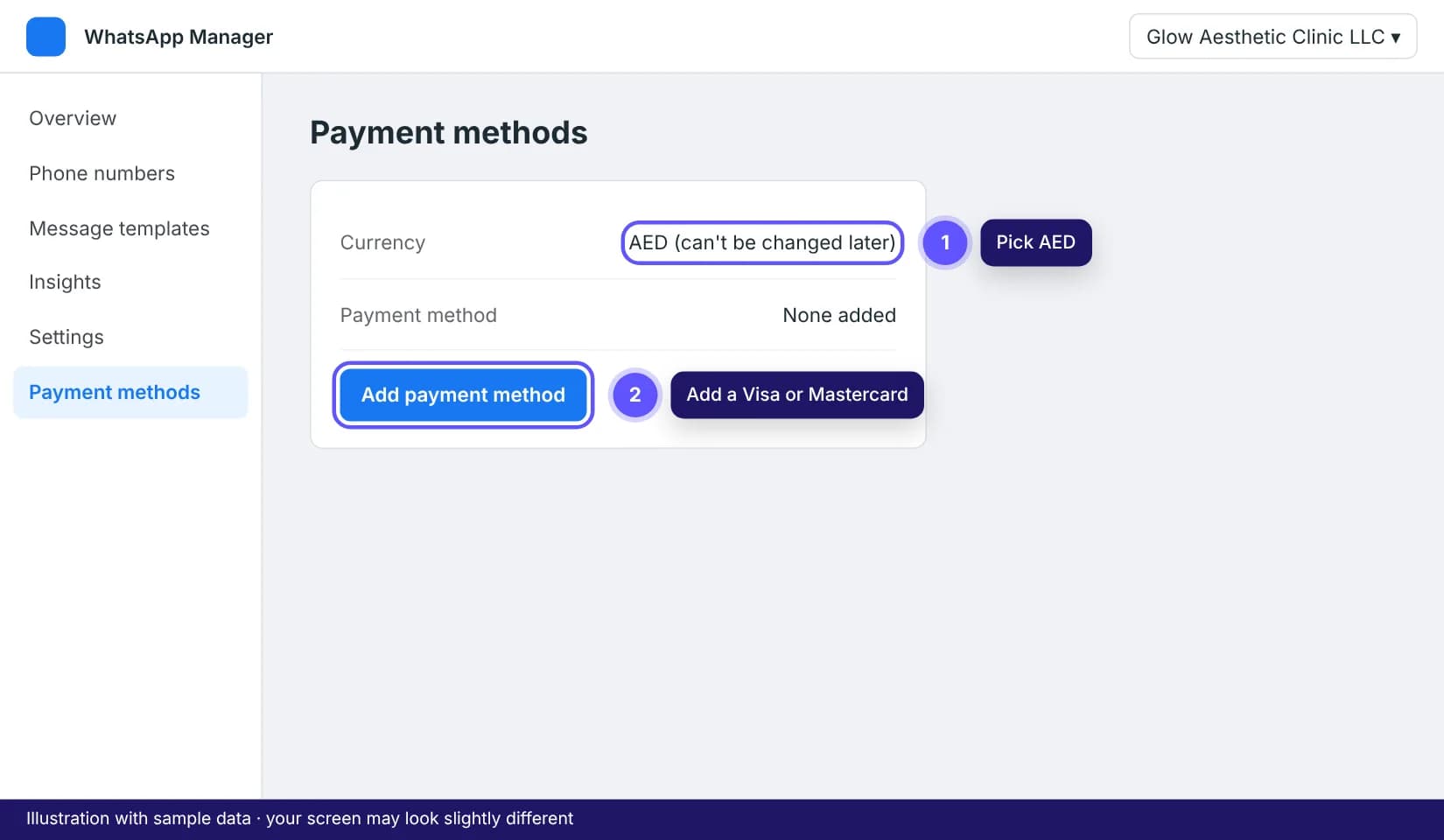
Click Add payment method, choose AED as the currency if asked (it can't be changed later), enter the card and confirm the 3-D Secure code from your bank.
Tip: Card declined? Ask your bank to allow international online payments to Meta (Facebook). Most UAE declines are this.
3Tick it off in ROSA
Back in your ROSA dashboard, mark the payment method step as done in Finish setting up so reminders and follow-ups can switch on.
Tips that save time
- Meta bills you directly for template messages; it's separate from your ROSA plan. A UAE appointment reminder costs a few fils.