Getting your WhatsApp display name approved
5 minLast updated: 29 October 2026
Meta reviews the name customers see. It's usually approved within a day if it matches your brand.
Step by step
1Check the status
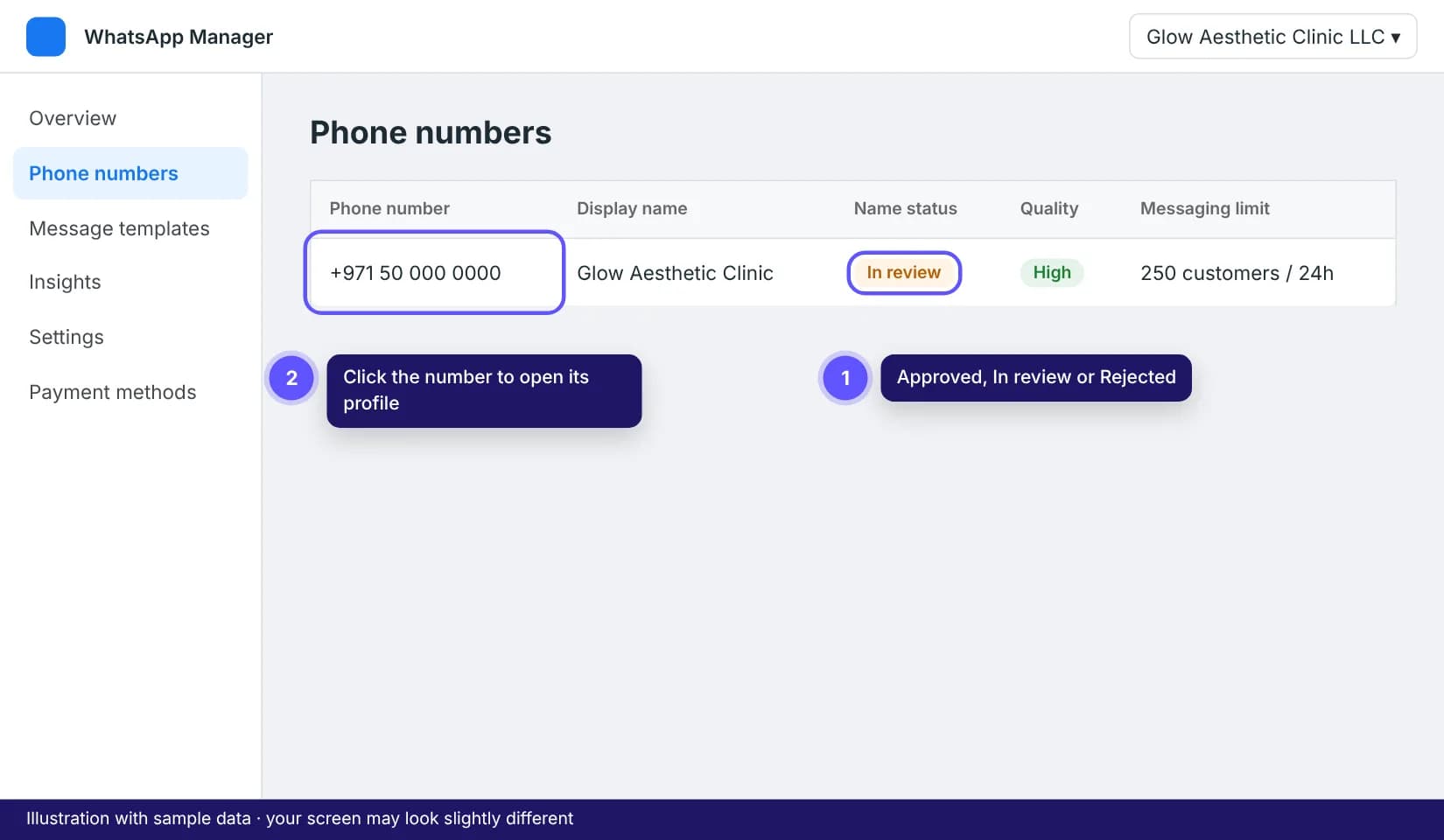
Open WhatsApp Manager at business.facebook.com/wa/manage and go to Phone numbers. The Name status column shows Approved, Pending or Rejected.
2Follow the naming rules
Use your real brand name, the same as on your website or signage. Avoid generic words on their own ("Dubai Clinic"), a person's name unless it's the brand, extra punctuation, emojis, ALL CAPS, and words like "Official" or "WhatsApp".
3Fix a rejection
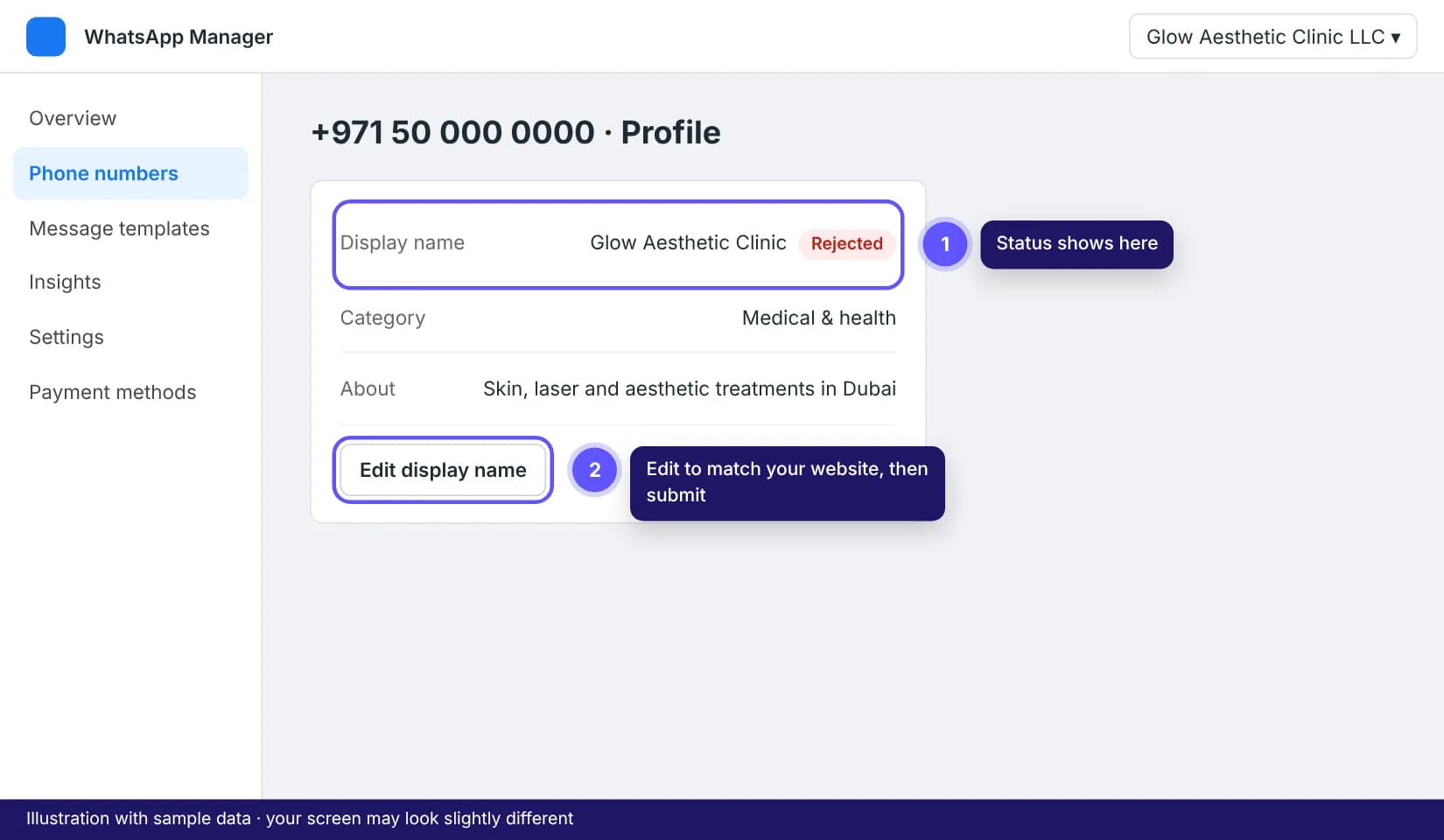
Click the number, open the Profile tab and click Edit next to the display name. Change it so it matches your website exactly, then submit. Make sure your website shows the same name clearly.
Tips that save time
- While the name is pending, your agent can still reply to customers. The number shows instead of the name.
- The green tick is separate: it needs a verified business with press coverage. Most businesses don't need it to sell well.