How to verify your business on Meta
10 minLast updated: 29 October 2026
Verification raises your WhatsApp messaging limits and is needed for the green tick later. It takes about 10 minutes plus Meta's review.
Before you start
- Admin access to your Meta business portfolio
- Trade licence (PDF or clear photo)
- A business email on your website's domain, or a business phone you can answer
Step by step
1Open your business settings
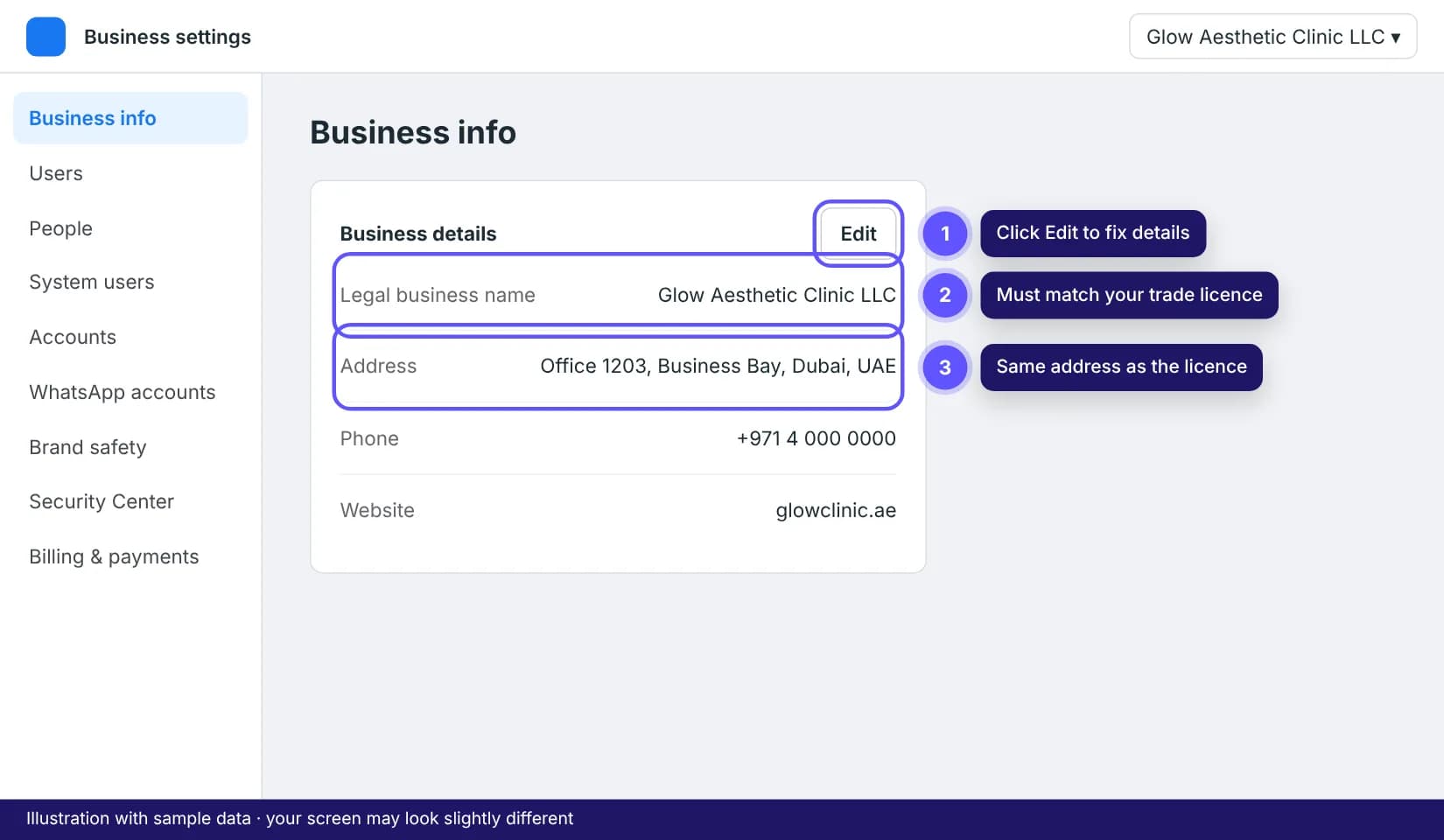
Go to business.facebook.com/settings, pick your business portfolio from the menu at the top left, then open Business info. Check the legal name, address, phone and website match your trade licence.
2Start verification in Security Center
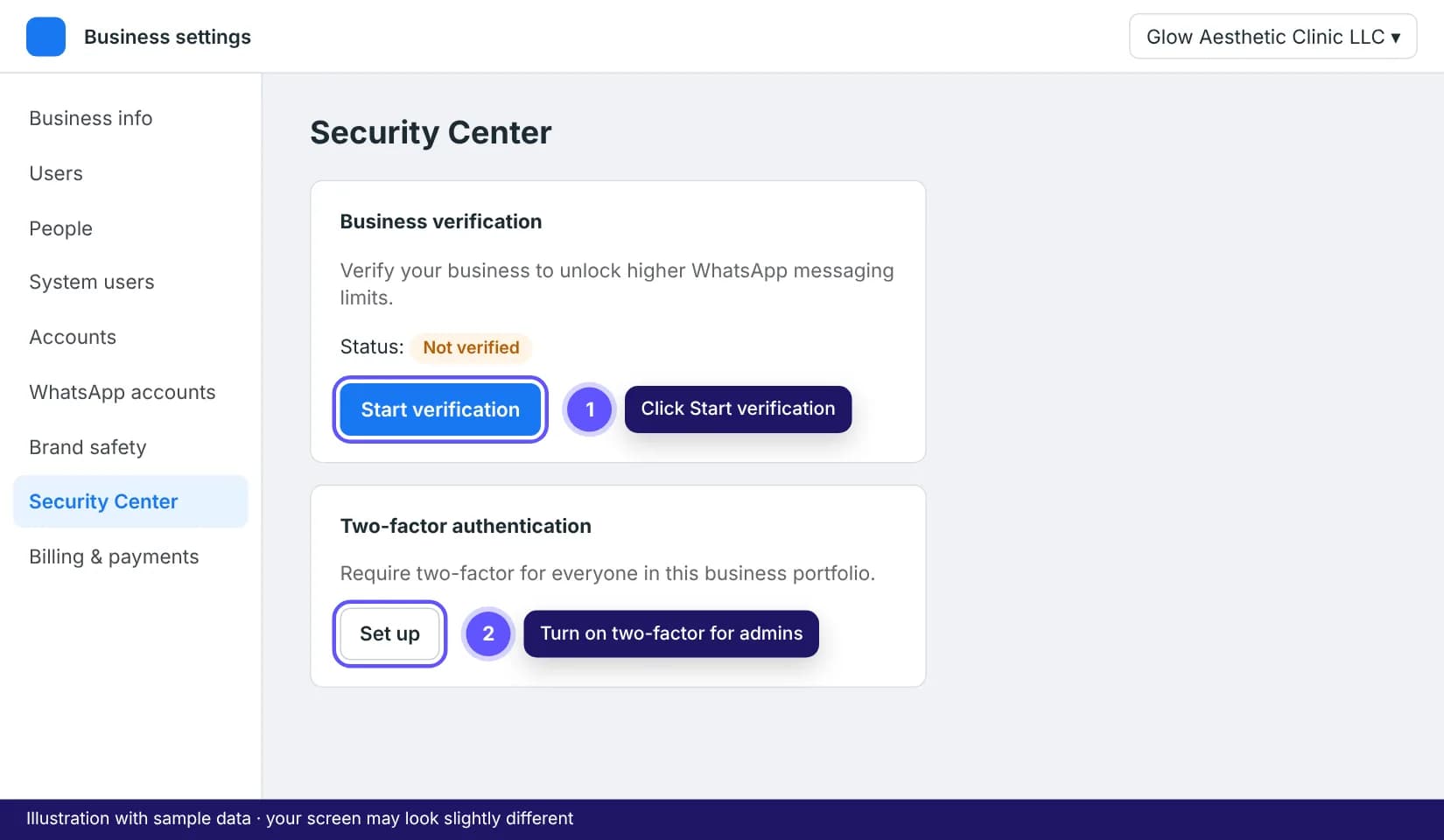
In the left menu open Security Center and click Start verification. If the button is greyed out, your portfolio is too new or you are not an admin; wait a day or ask the owner to make you admin.
3Enter your details exactly as on the licence
Choose United Arab Emirates, then type the legal name letter for letter as it appears on the trade licence, including "LLC" or "FZE". Meta may find your company automatically; pick it if the details are right.
Tip: The number one rejection reason is a name or address that differs from the document, even by one word.
4Upload your trade licence
Upload the licence as a PDF or a sharp photo with all four corners visible. A utility bill or bank statement with the same legal name and address also works as a second document if Meta asks for one.
5Confirm by email, phone or domain
Pick how Meta should confirm you. Email works best when the address is on your website's domain (for example [email protected]). Gmail or Hotmail addresses are not accepted. Enter the code Meta sends, then submit.
6Wait for Meta's decision
Most UAE businesses hear back within 1 to 3 business days; it can take up to 14. You can keep going with the WhatsApp connection while you wait. The status shows as Verified in Security Center when it's done.
Tips that save time
- Rejected? Read the reason in Security Center, fix the one field it names, and resubmit. You don't have to start over.
- Verifying your website domain in Brand safety > Domains first makes approval faster.
Frequently asked questions
Can I use WhatsApp before I'm verified?
Yes. Your agent can answer every customer who messages you. Verification only lifts the limit on conversations you start yourself, which begins at 250 people a day.