How to connect your WhatsApp number to ROSA
10 minLast updated: 29 October 2026
You click Connect WhatsApp, log in to Facebook and follow Meta's own pop-up. You stay the owner of your number and account at all times.
Before you start
- Your Facebook login
- The phone number, with you, to receive the code
- Your display name and business category
Step by step
1Open your setup link
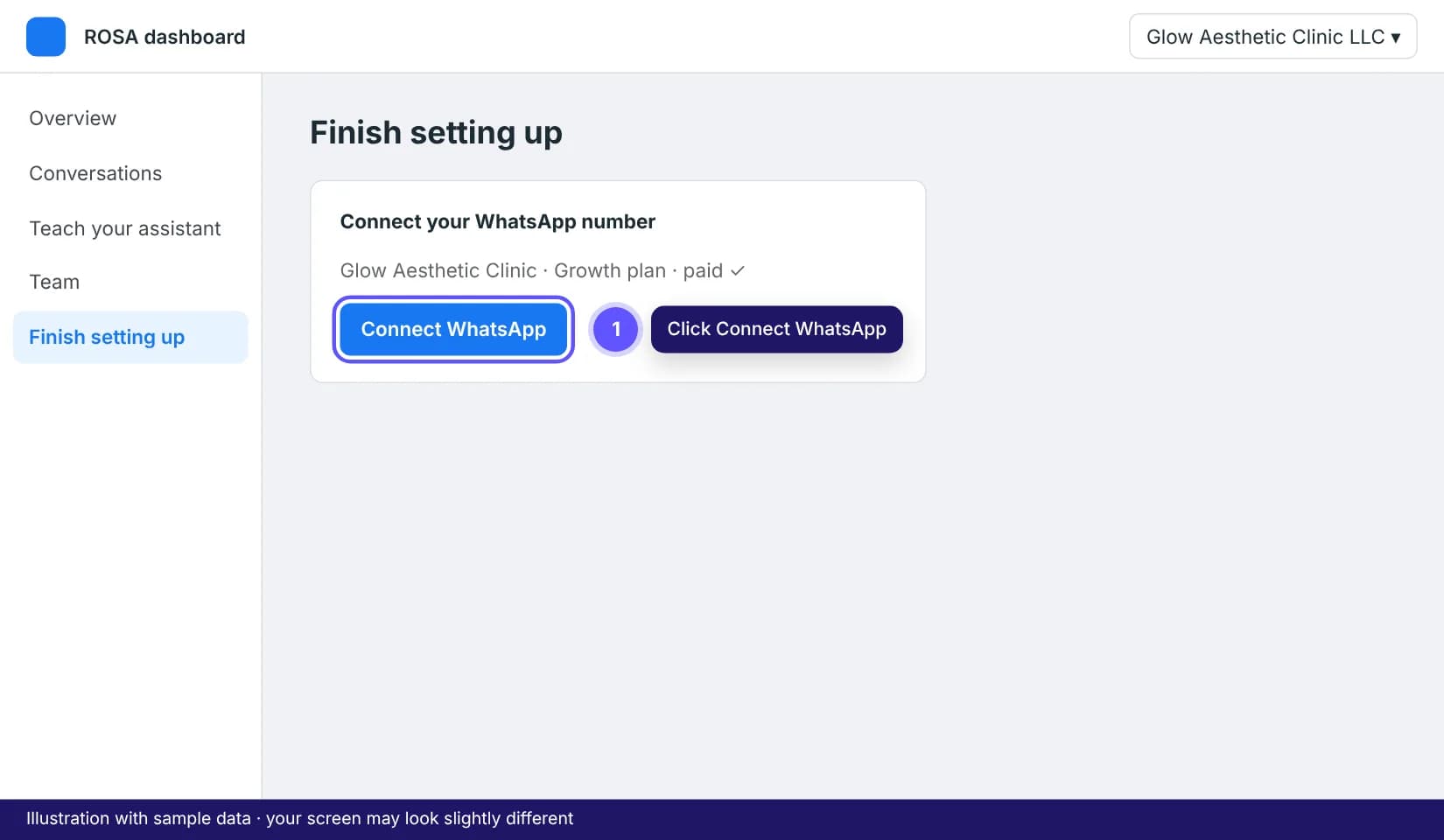
Open the Connect WhatsApp link from your welcome email, or the Finish setting up card in your ROSA dashboard, on a computer. Click Connect WhatsApp.
2Log in and allow the pop-up
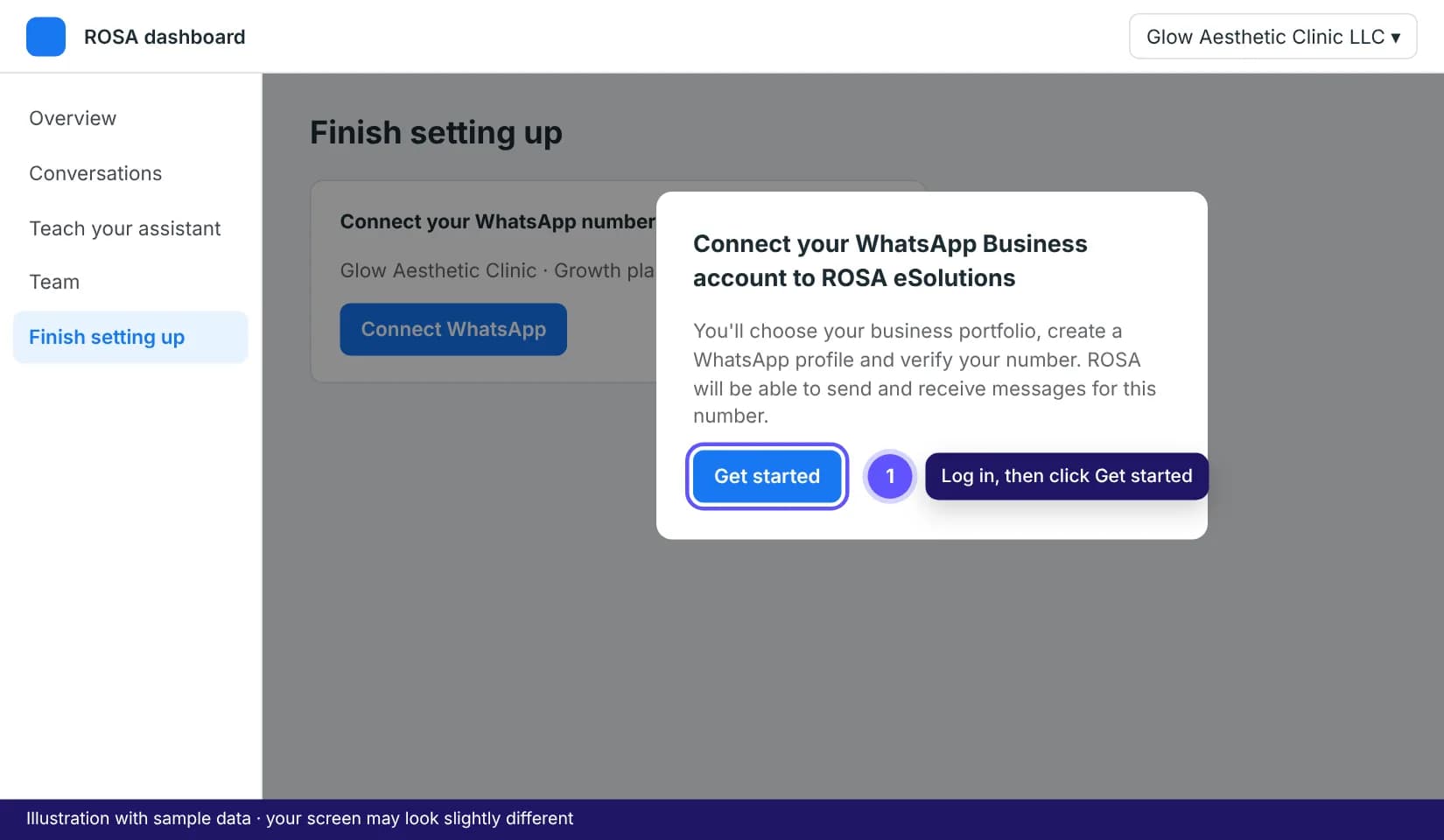
A Facebook window opens. If nothing happens, allow pop-ups for agent.erosa.ae in your browser and click again. Log in with your personal Facebook account and click Get started.
3Choose or create your business portfolio
Pick your existing business portfolio, or create one with your legal business name, email and website. Choose the one you plan to verify.
4Create your WhatsApp Business profile
Choose Create a new WhatsApp Business account. Enter the display name, pick your category (for example Medical and health) and add a short description. You can change the description later.
5Add and verify your phone number
Enter the number with the country code (+971). Pick Text message or Phone call, then type the 6-digit code. If the number is still on a WhatsApp app, see the guide on using an existing number first.
Tip: Landline? Choose Phone call. The code is read out by an automated voice.
6Review the permissions and finish
Meta shows what ROSA can do: manage and send messages on this WhatsApp account. Click Continue and Finish. You're taken back to ROSA, and your agent connects within a minute. You get a confirmation email.
7Send a test message
From a different phone, send "Hi" to your business number. Your agent should reply within a few seconds. If it doesn't, message us and we'll check it straight away.
Tips that save time
- "This phone number is already registered": the number is still on a WhatsApp app. Follow the existing number guide, then try again.
- Code not arriving? Wait 60 seconds, switch to Phone call, and make sure the number can receive calls from abroad.
- Closed the pop-up by mistake? Nothing is lost. Click Connect WhatsApp again and pick the same portfolio.
Frequently asked questions
Who owns the WhatsApp account?
You do. The WhatsApp account, number and Meta portfolio stay in your name. ROSA only gets permission to send and receive messages, which you can remove at any time.