Adding team members and a backup admin on Meta
4 minLast updated: 29 October 2026
Two minutes now saves weeks of recovery if one Facebook account gets locked.
Before you start
- Admin access to your business portfolio
Step by step
1Open People
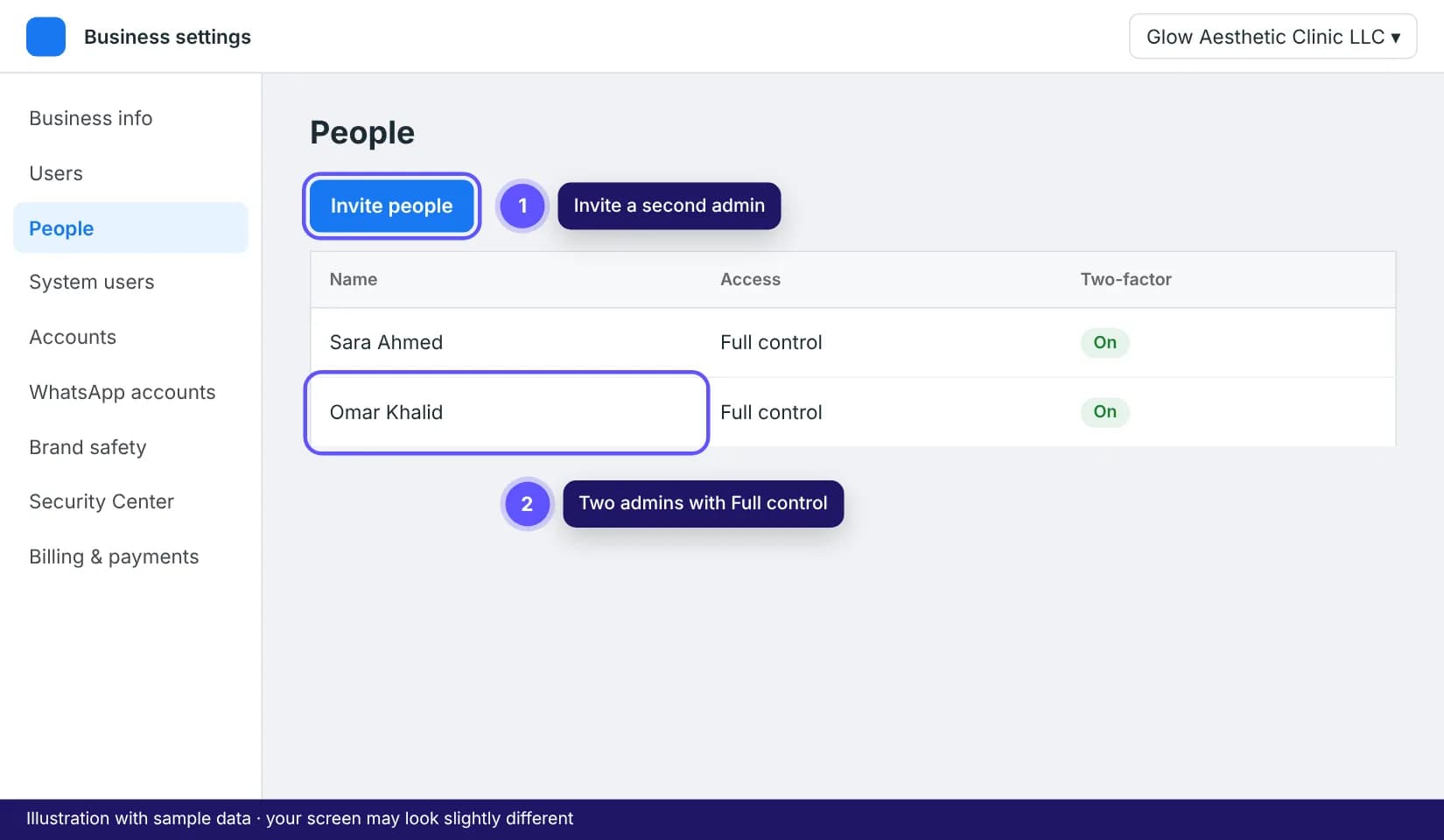
Go to business.facebook.com/settings and open Users > People. You'll see everyone with access.
2Invite a second admin
Click Invite people, enter their work email, choose Full control (admin), and assign your WhatsApp account. They accept from the email.
3Give staff only what they need
Staff who just answer chats don't need Meta access at all: add them in the Team tab of your ROSA dashboard instead.
Tips that save time
- Turn on two-factor authentication for every admin in Security Center.